
Noah’s Popup Builder
Your message. At the right time.
Create custom popups for Drupal with Noah’s visual editor. Design their content, decide when they appear, and control when they are shown again.
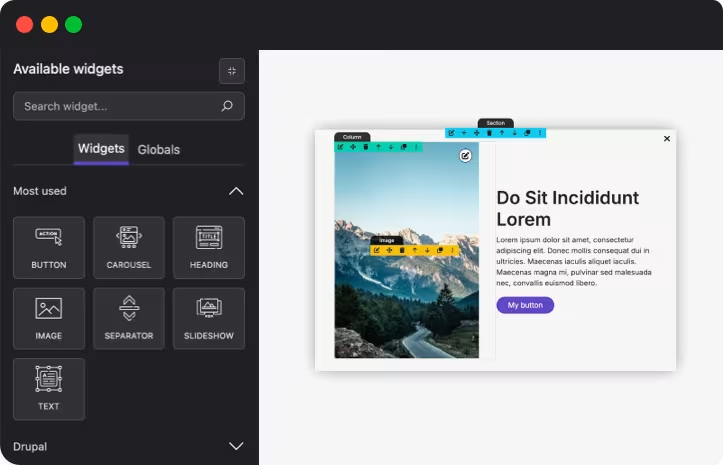
Design visually
Combine texts, images, and buttons with Noah’s editor and create popups that match your website’s identity.
Choose the moment
Open your popups when the page loads, as users scroll through the content, or from a button.
Control repetition
Set how much time should pass before showing a popup again to a visitor who has already closed it.
Small format. Big possibilities.
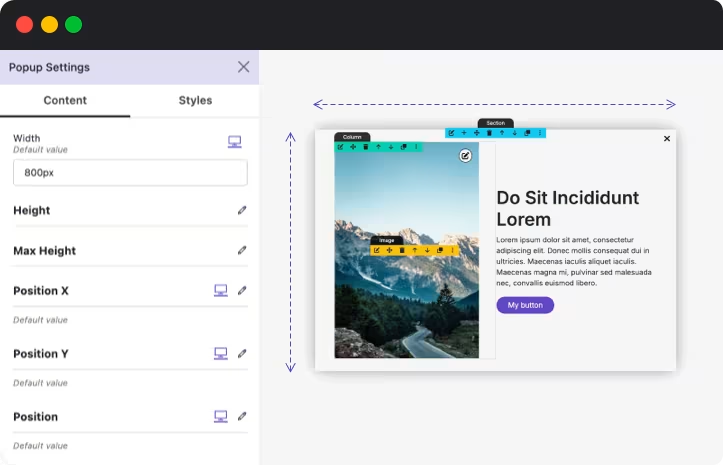
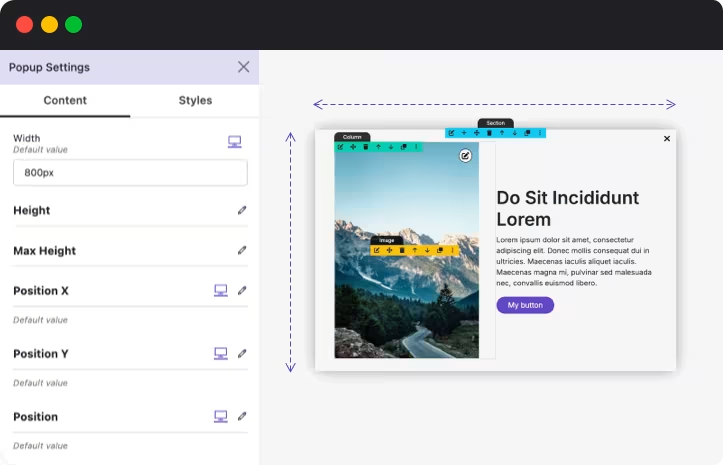
Give each message the space it needs. Adjust the size, position, background, and close button to create anything from a subtle notice to a standout promotion.
Ancho y altura configurables.
Posición horizontal y vertical.
Fondo superpuesto personalizable.
Botón de cierre con tu estilo.
Every message has its moment. You choose it.
Present a novelty after a few seconds, show a proposal while the visitor browses the page, or let them open more information with a click.
On entry
Set up an automatic opening with your preferred timeout.
On scroll
Show the popup when the visitor has scrolled the distance you define.
On button click
Connect Noah’s buttons with actions to open or close your popups.
Make yourself visible. Leave room to navigate.
Closing a popup is also a response. Decide how much time should pass before showing it again and adjust the repetition to the type of message.
Intervals in seconds, minutes, hours, or days.
Configurable pause after closing.
With PRO, limit the number of openings per browser during a specific period.
A more relevant message for each visit.
Adapt your popups to the visitor's context. Combine audience and navigation criteria to display each offer where it makes the most sense.
By device
Send your messages to mobile, tablet, or desktop.
By user type
Differentiate between anonymous visitors, identified users, and Drupal roles.
By page
Show proposals related to specific addresses on your website.
By campaign source
Customize the message according to the UTM source parameter of the visit.
By journey
Set time or page view requirements in the session before displaying the popup.
Fine-tune the moment to appear.
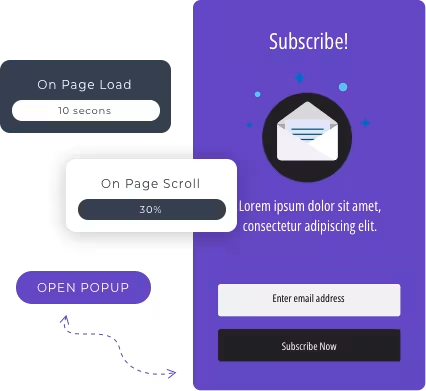
Add new ways to trigger your messages: when the cursor moves towards the window exit, upon reaching a certain scroll percentage, or by clicking on a specific element on the page.
Intención de salida.
Porcentaje de página recorrido.
Apertura desde elementos personalizados.
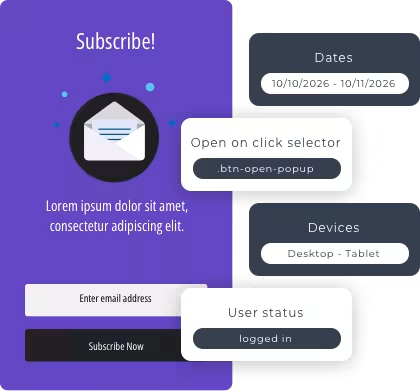
Your campaigns, with date and time.
Get your popups ready for promotions, launches, or temporary notices. Set when they can be displayed with start and end dates, days of the week, and time slots.
Also take care of how it appears.
Add entrance and exit animations to integrate the popup into your website experience. Choose fade, slide, or zoom effects, adjust their duration, and preview the entrance animation from the editor.
Entry and exit animations
Animation duration
Preview the animations
Know the answer to every message.
Check opens, closes, and clicks on the element you define as a conversion. Filter the results by popup and dates to compare the response to your campaigns.
Registered openings and closings.
Conversion rate.
Click-based conversions.
Export of results in CSV.
Start now
Save time.
Design pages, create popups, and bring new experiences to life with an ecosystem of modules that grows with you.
Download the modules from the official Drupal page and install them as you usually do
Noah's is free, it has a PRO version and Popup's Pro to help maintain this editor.
No license is required, and if you get the PRO version, you can get support and updates for one year.
Yes, you can expand them as long as you do not distribute copies of Noah's code in other modules for commercial benefit