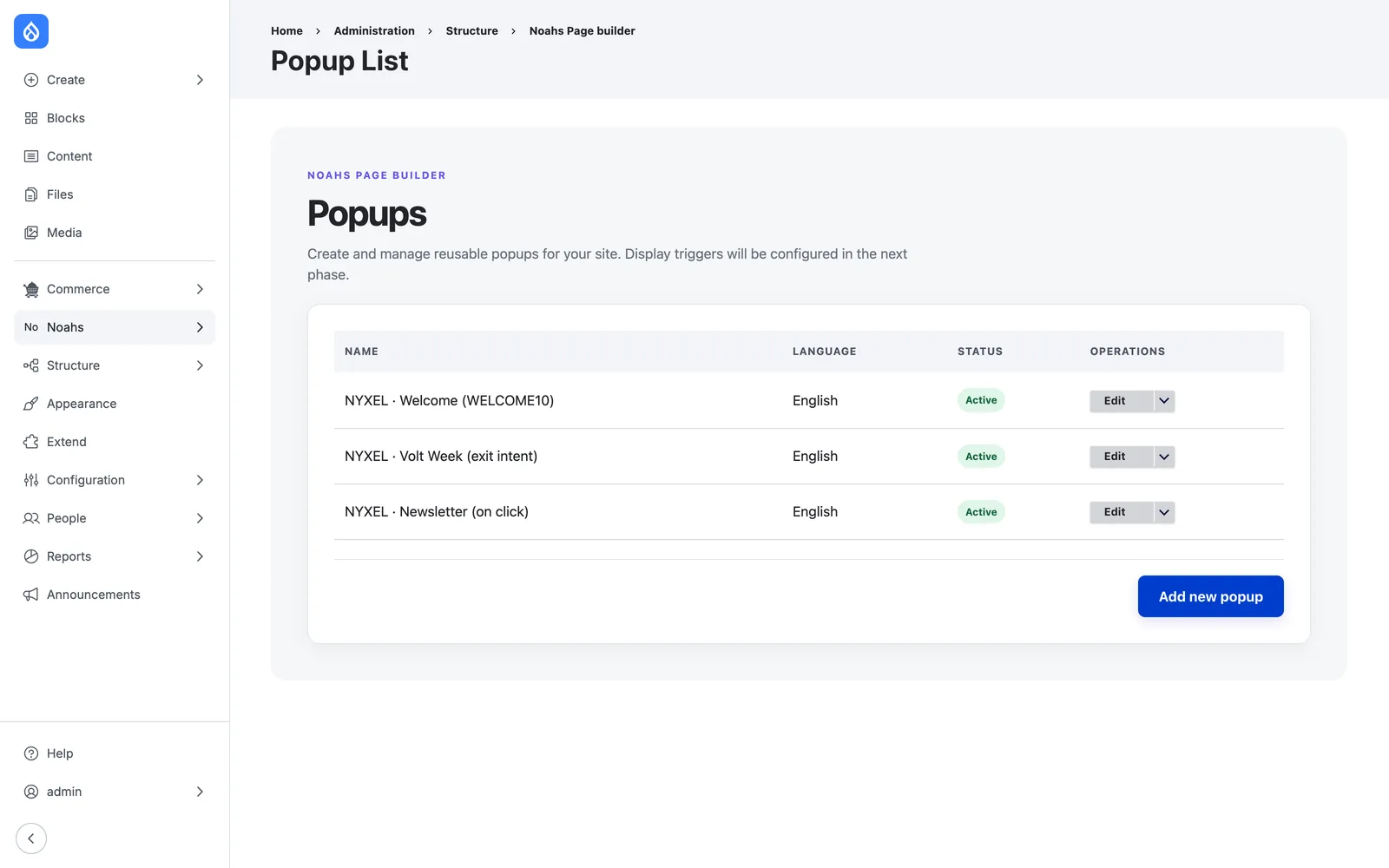
Your message. At the right moment.
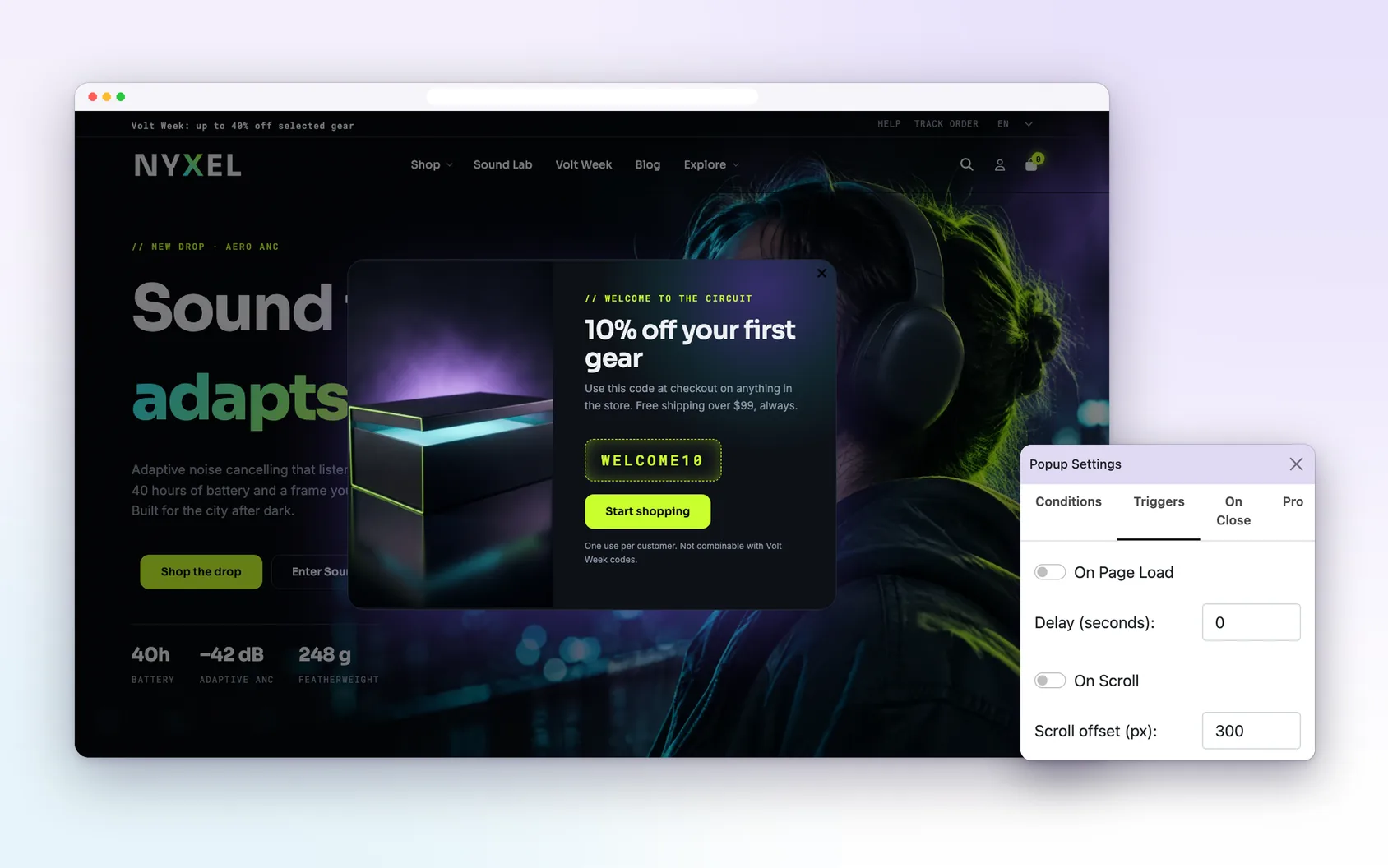
Don’t take our word for it. Open one.
Fade, slide or zoom, both in and out.
Set how long each transition lasts.
Watch the entrance before you publish.
Small format. Big possibilities.
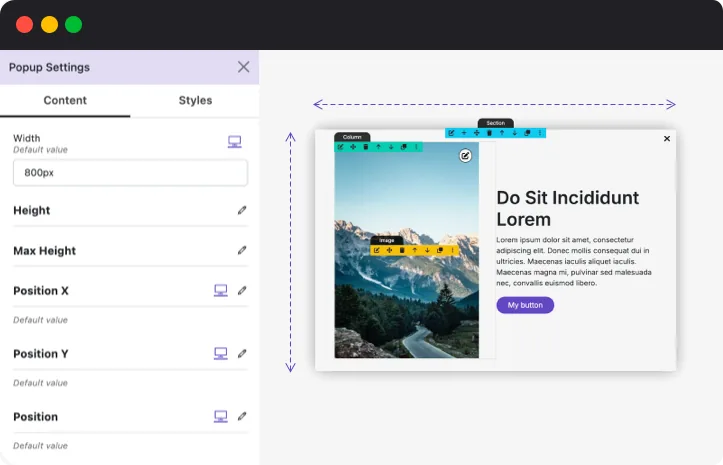
Build the content with Noah's widgets, then give each message the space it needs: from a discreet notice to a full-screen promotion.
✓ Width, height and position
✓ Overlay colour and close button in your style
✓ Texts, images, forms and buttons inside
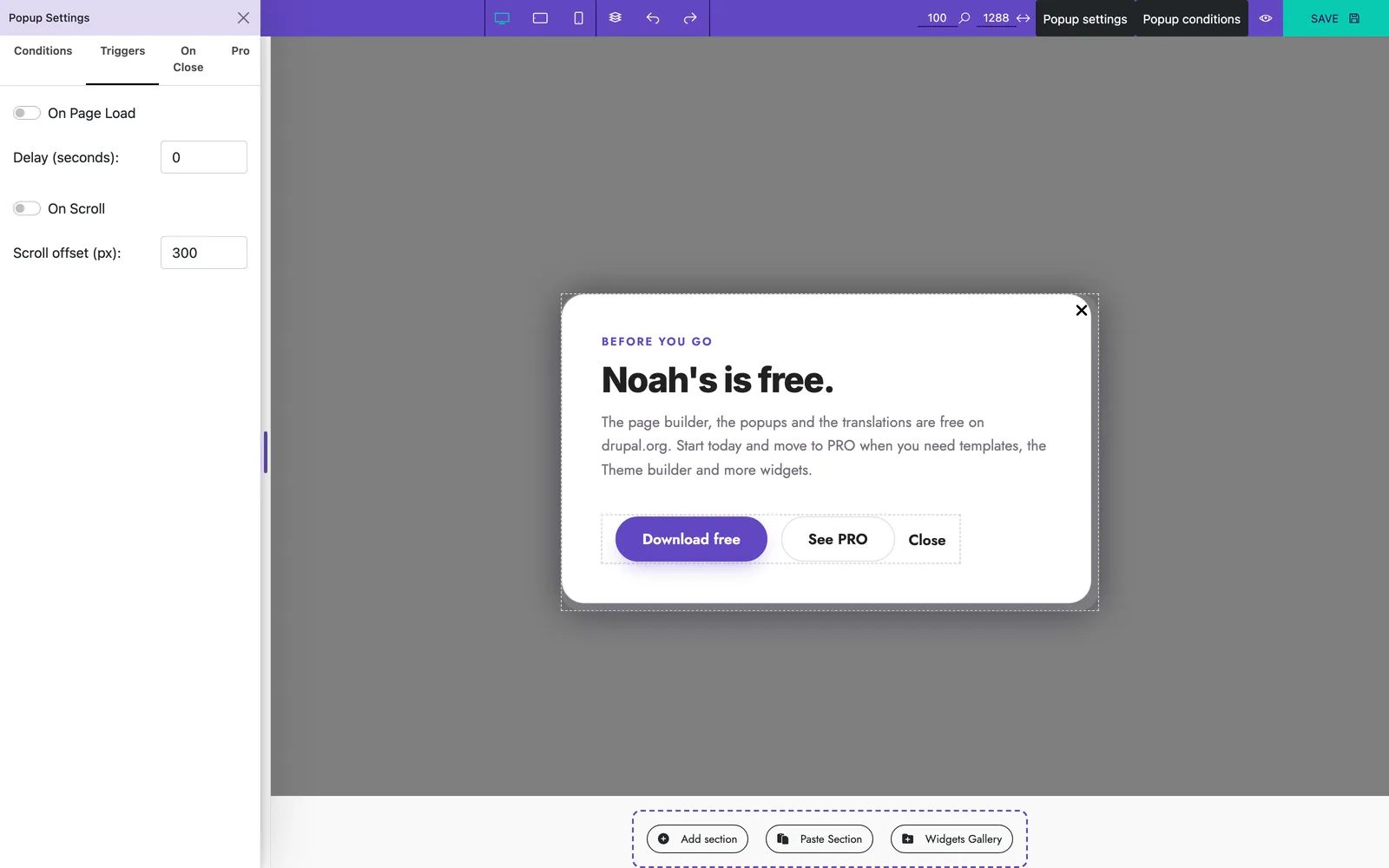
Every message has its moment. You choose it.
Open it after a delay, once the visitor has scrolled the distance you define, or from any Noah's button.
Closing a popup is an answer too. Set how much time must pass before it shows again: seconds, minutes, hours or days.
Target. Schedule. Measure.
Combine device, anonymous or signed-in users, Drupal roles, specific pages, the UTM source of the visit, time on site and pages viewed.
Open it when the cursor heads for the top of the window, at a scroll percentage or on a click on any element.
Start and end dates, days of the week and time slots. The example campaign on this site starts in:
Opens, closes and clicks on the element you define as a conversion, filtered by popup and date. Export it all to CSV.
Download Noah's Page Builder from its page on drupal.org and install it like any other module, with Composer (composer require drupal/noahs) or manually. Noah's PRO is a separate download: extract it in your modules/custom folder and enable it.
Noah's Page Builder is free and open source. Noah's PRO and Popups PRO are paid add-ons: they unlock more tools and help keep the editor alive.
The free modules don't need any licence. With Noah's PRO you get updates and support for the period you choose: 3, 6 or 12 months.
Yes. You can create your own widgets and controls (see the documentation), as long as you don't distribute copies of Noah's code inside other modules for commercial gain.
No: it relies on the mouse leaving the window, so it is a desktop trigger. On mobile, use scroll percentage or a delay instead.
Your next message is one popup away.